A Free Tool I Want to Share
From time to time, I want to share free digital tools that I actually use and find helpful. I am calling this a Free Digital Content Friday. However, it happens more occasionally rather than on a weekly basis. When I make something useful, I want to pass it on.
Today’s freebie is an interactive Eisenhower Matrix PDF. It is a simple layout. It helps you sort your tasks by what is urgent. It also lets you find what is important and what can wait.
What the Eisenhower Matrix Is
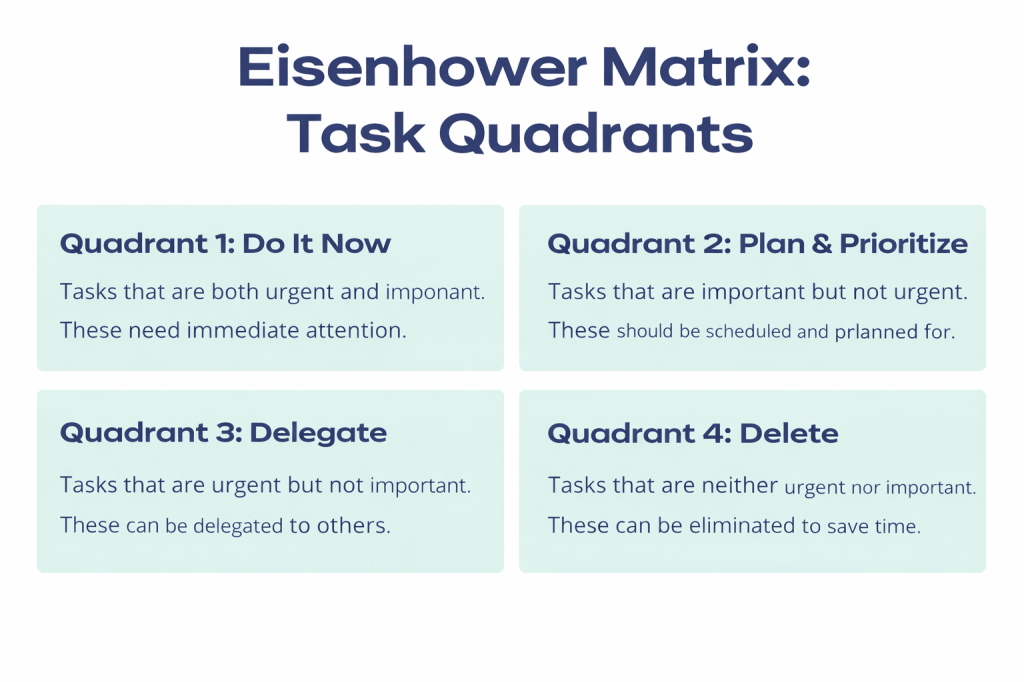
The Eisenhower Matrix is a simple productivity system that organizes tasks by urgency and importance. It divides everything into four quadrants:
- Urgent and Important
- Important but Not Urgent
- Urgent but Not Important
- Not Urgent and Not Important
The goal is to help you focus on what truly matters and stop reacting to everything at once.
Why I Use It
Life gets busy. Work, school, personal responsibilities, and everything in between can create a long list that feels impossible to manage. The Eisenhower Matrix has helped me. It takes the pressure off by showing me what needs attention now. It also shows what can be scheduled or removed.
It gives me a visual way to sort everything out. When I can see it clearly, it becomes much easier to take the next step.
About the Free Interactive PDF
I created a version of the matrix that works both digitally and as a printable. You can type into the boxes from your device or print it and write by hand.
Each page includes:
- The four task quadrants
- Space to write tasks for each section
- A notes area for extra reminders or thoughts
- A clean design that works for daily or weekly planning
For the best experience, I recommend opening the file in Adobe Acrobat Reader. Some browser based PDF viewers or other apps may not support all of the interactive features. This lack of support can cause you to lose what you type into the boxes. Adobe Reader keeps the form fields and saving behavior working the way they are meant to.
Use it for school, work, projects, home tasks, or anything else that needs organizing.
How to Use It
Start with a brain dump. Write down everything on your mind. Then move each task into the quadrant where it belongs.
Questions that help:
- Is this task urgent
- Is it important
- Can it wait
- Does it need to be done by me
The purpose is not perfection. It is clarity.
Download the Free Template
Best used with Adobe Acrobat Reader.
If the button above does not work or you prefer to download it directly from GitHub, you can use this link:
Final Thought
Productivity is not about doing everything. It is about knowing what deserves your time. This simple tool has helped me stay focused. It keeps me grounded. I hope it gives you the same sense of clarity.
If it helps even one person feel less overwhelmed, then sharing it was worth it.


Leave a comment